

Start with QuickBooks Online Essentials if you already keep your books in QuickBooks and want help reviewing bank transactions. Compare Digits and Puzzle if you’re choosing a new ledger. If your books are already in order, a reporting assistant or receipt tool can solve a narrower problem without a migration.
We tried two public demos with vendor sample data. 2diff Business pulled the right reporting periods but missed both requested rounding targets. KipBill flagged a £3 mismatch but still showed a one-penny mismatch as balanced. QuickBooks, Digits and Puzzle are compared using US plan documentation. The hands-on checks cover the specific workflows below.

Which kind of AI accounting software do you need?
AI bookkeeping tools can suggest categories, read receipts or help match transactions. Reporting assistants answer questions about numbers already in your books. If you need invoices, bank reconciliation and financial statements in one system, start with a full ledger and evaluate the AI on top of it. For the underlying ledger, start with our cloud accounting software comparison to compare routine work such as invoicing and reconciliation.
| Software | What it does | Evidence |
|---|---|---|
| QuickBooks Online | Ledger with AI-assisted bank transaction review | US product documentation |
| Digits | Ledger with AI bookkeeping and reconciliation | US product documentation |
| Puzzle | Ledger with AI categorization and close tools | US product documentation |
| 2diff Business | Answers questions about financial statements | Public AI reporting demo |
| KipBill | Extracts receipt fields and lets you review them | Public sample receipt validation |
If your immediate need is to create client invoices and collect payments, start with our comparison of freelancer billing tools. Evaluate recurring invoices, payment reminders, and processing fees before adding AI bookkeeping features.
Hands-on demo results
We used each tool’s own sample data in November 2026. The two checks cover different tasks, so the results are specific to the reporting and receipt workflows shown here.
2diff Business for questions about your financial statements
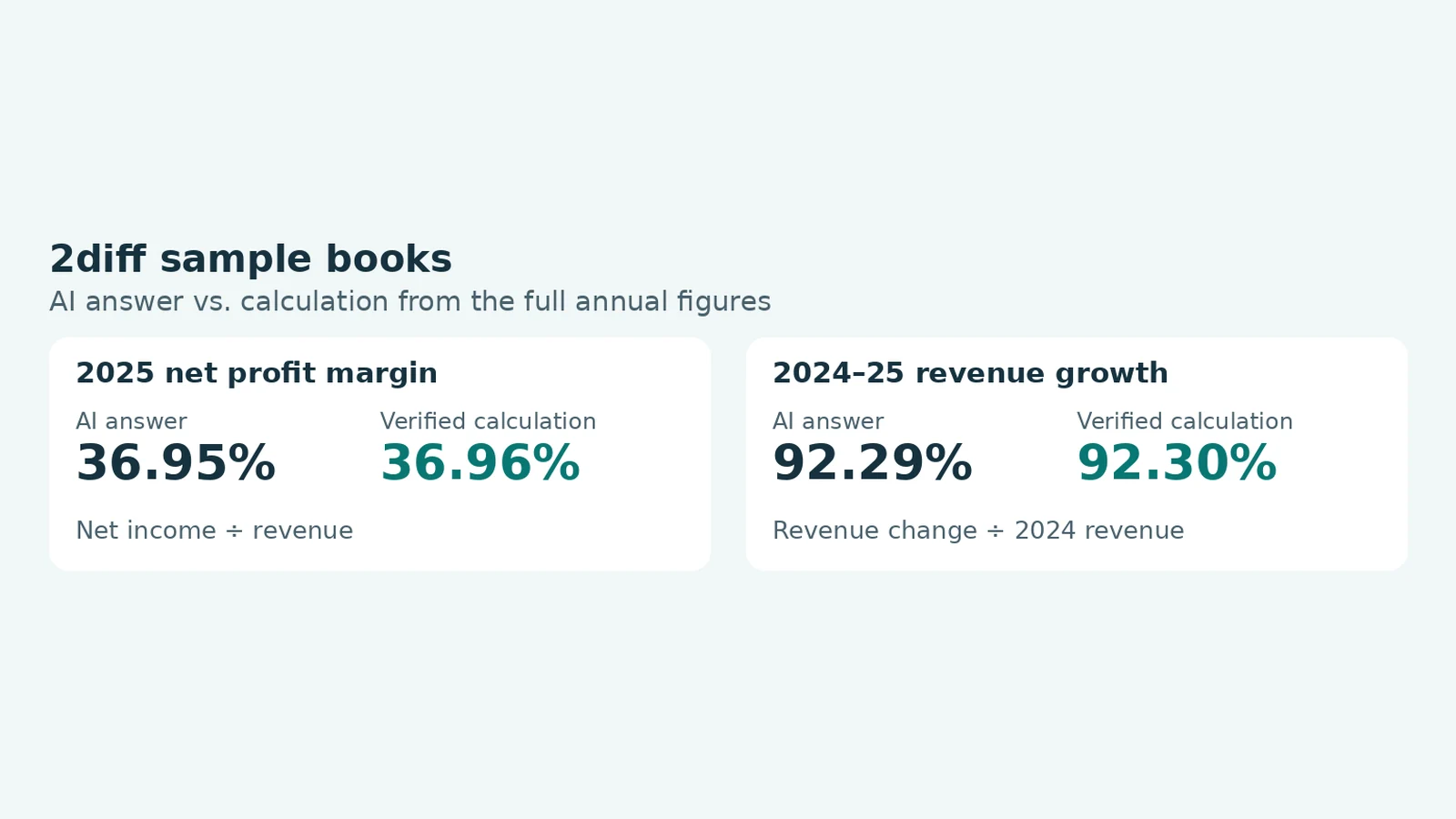
In Sample Books, we checked the annual profit and loss statement for the fictional landscaping company. It showed $115,050.16 in revenue and $44,756.46 in net income for 2024, and $221,242.64 in revenue and $81,764.68 in net income for 2025. We asked AI Insights for the full-year totals, the rows it used, 2025 net profit margin, and year-over-year revenue growth to two decimal places. We told it to exclude 2026 year-to-date figures. 2diff’s public demo.
It used the correct years and rows and returned the four dollar amounts rounded to whole dollars. Its margin and growth calculations were each 0.01 percentage point below the results from the statement’s full figures. It’s easy to read the response as a finished report, so check the source amounts and formulas before copying figures into a lender or client report. Our gross vs. net income guide explains what the profit figure includes.
KipBill for checking receipt totals
We opened the prefilled Café · UK sample. Its £15.63 subtotal and £2.22 tax added to £17.85. We edited the total to £17.86, and the tool still said the amounts added up. When we changed it to £20.85, it warned about the mismatch. The export buttons stayed visible with the warning. This check covered the editable review screen. It did not measure OCR accuracy or confirm how the exported file handles a mismatch. KipBill’s public receipt tool.
Use the totals check to catch obvious discrepancies. Before you import the result, compare the date, vendor, currency, tax and total with the original receipt. If you bill the purchase back to a client, also verify how the entry flows into billable expense income.
QuickBooks vs. Digits vs. Puzzle
These are regular US monthly prices listed in November 2026. Compare the plan that includes your workflow, plus any required services or integrations. The features below are vendor-documented.
QuickBooks Online Essentials ($85). Start here if your accountant already reviews your QuickBooks bank feed. Intuit lists basic AI matching and categorization across QuickBooks subscriptions, with its broader Accounting AI features on Essentials, Plus and Advanced. Try its review queue with a transaction that needs context, such as a purchase split between two expense accounts. Intuit’s AI feature guide and plan pricing. Compare bank matching and receipt automation workflows if you need to decide which work to automate inside your ledger and which steps need an add-on.
Digits Essentials ($65). Consider it if you want AI bookkeeping and reconciliation in a new ledger at the starting tier. Ask your bookkeeper to review how the product handles a changed category and whether you can see what was changed and by whom. Digits plan comparison.
Puzzle Starter ($30) or Complete ($120). Starter is a lower-cost entry point for one user and lists 25 lifetime AI credits. Compare Complete if you need the AI-powered accuracy review and reconciliations listed on that tier. Complete lists 100 AI credits per month. Ask what uses a credit and what happens when you reach the limit. Puzzle plan comparison.
Run the same bookkeeping test before you buy
Use a demo company and give each finalist the same sample invoice, processor settlement and bank statement. In this example, a customer pays a $1,200 invoice in full. The processor takes a $35 fee and deposits $1,165.
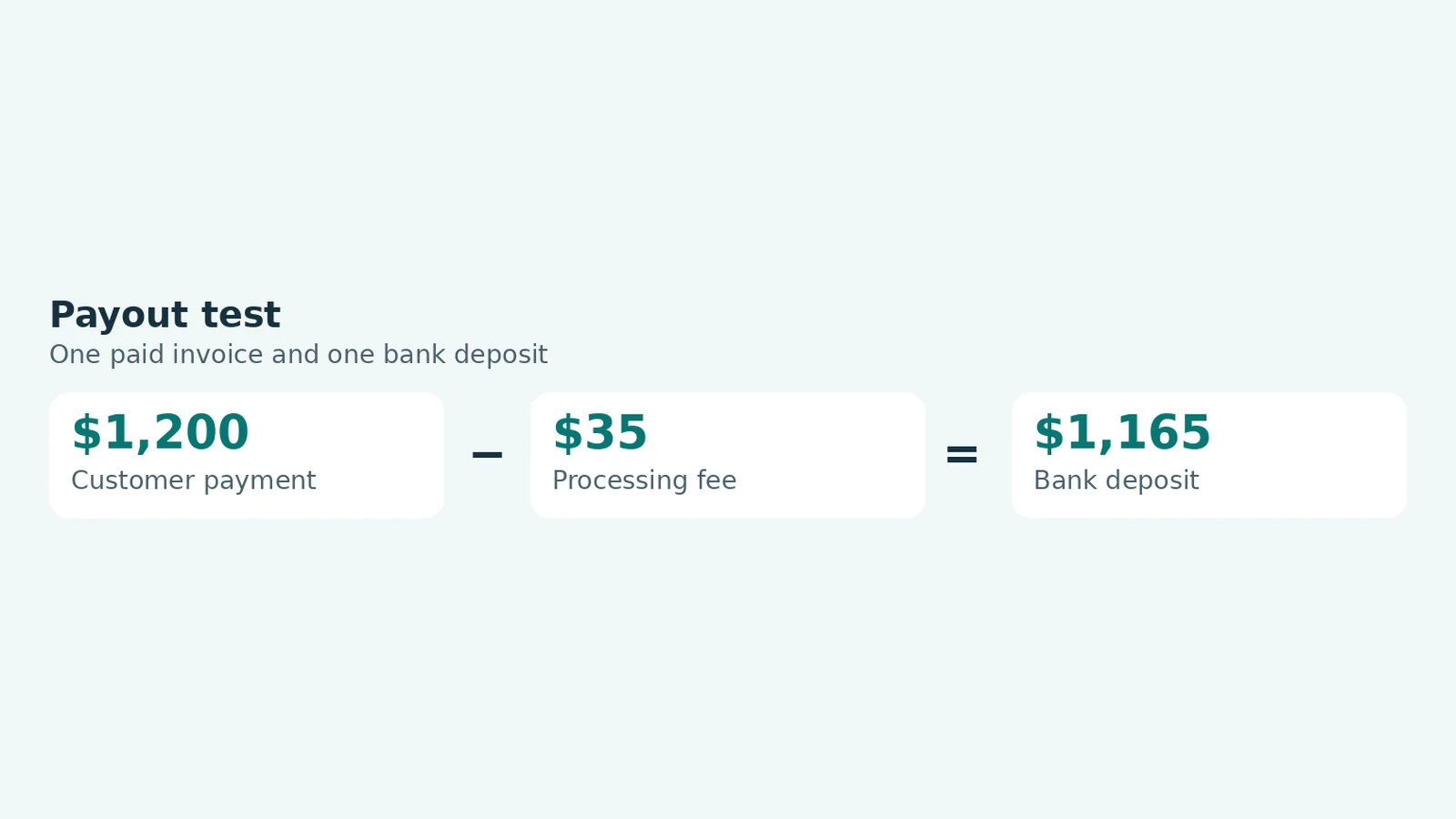
Check the result. The invoice should show paid, the sale should appear once, the processing fee should be separate, and the deposit should match the bank statement. Add the same invoice twice and check how the tool handles the duplicate. Open the audit trail and see whether you can trace a suggested entry back to its source.
Count every manual fix. Compare time through reconciliation and review, including corrections. Test who can approve or post entries and whether you can export the ledger and its supporting documents. For month-end entries such as amortization expense, check that the entry and its calculation can be reviewed together. Before connecting a live bank feed, ask whether the vendor shares financial records with AI providers or uses them to train models. Keep receipts and other records that support your books. IRS recordkeeping guidance.